
Scattered context
Tickets, PRs, docs, and Slack threads are everywhere. Connecting them back to a cohesive story of impact is manual and painful.
Built to engineer a growth motion
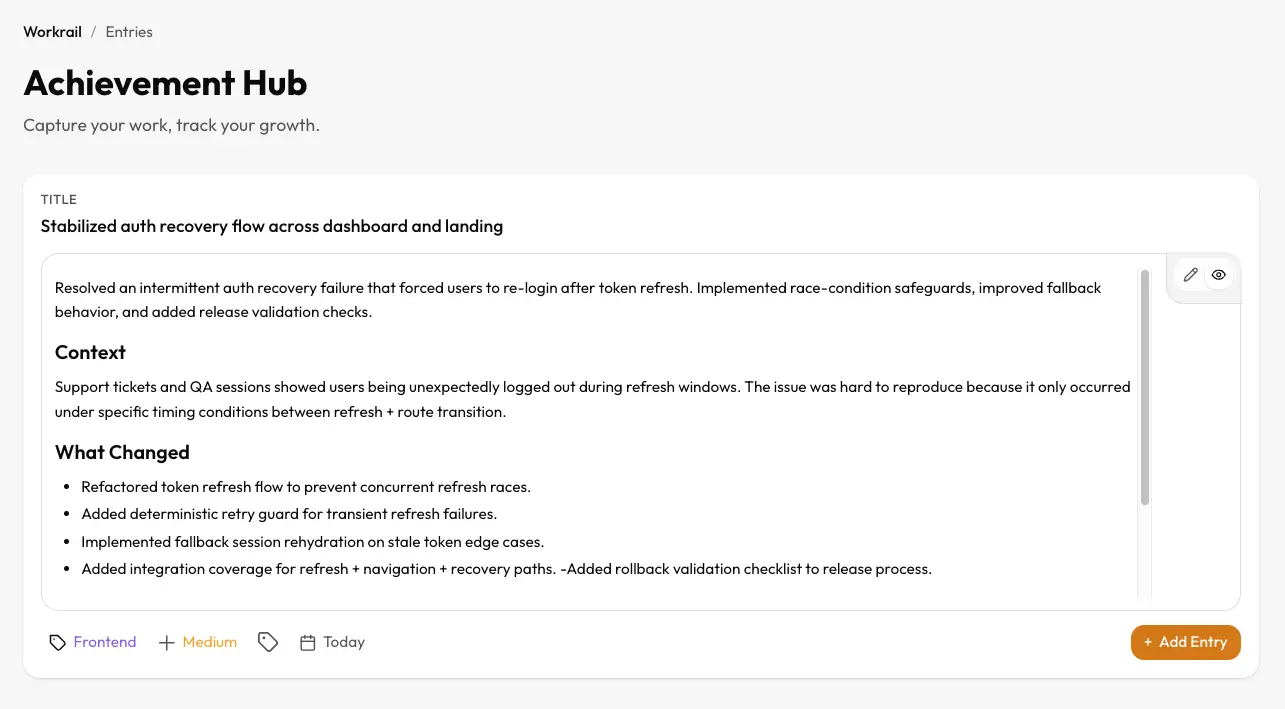
Workrail captures your engineering activity, organizes it into high-signal entries, and helps you improve continuously, not just at review time.
The problem
The daily grind erodes your career narrative. By the time reviews come around, the details of your best engineering work are lost in the noise.
Tickets, PRs, docs, and Slack threads are everywhere. Connecting them back to a cohesive story of impact is manual and painful.
Without structure, achievements look like simple tasks. "Fixed a bug" sounds different than "Resolved critical race condition affecting 20% of users."
You're coding every day, but are you growing? It's hard to see skill gaps or stagnation when you're deep in the execution weeds.
The solution
Workrail does not interrupt your flow. It captures work as it happens, organizes context, and builds a compounding growth asset for your career.
Entry created
Auth recovery flow stabilized across dashboard + landing
Weekly summary ready
3 outcomes and 2 prevented regressions this week
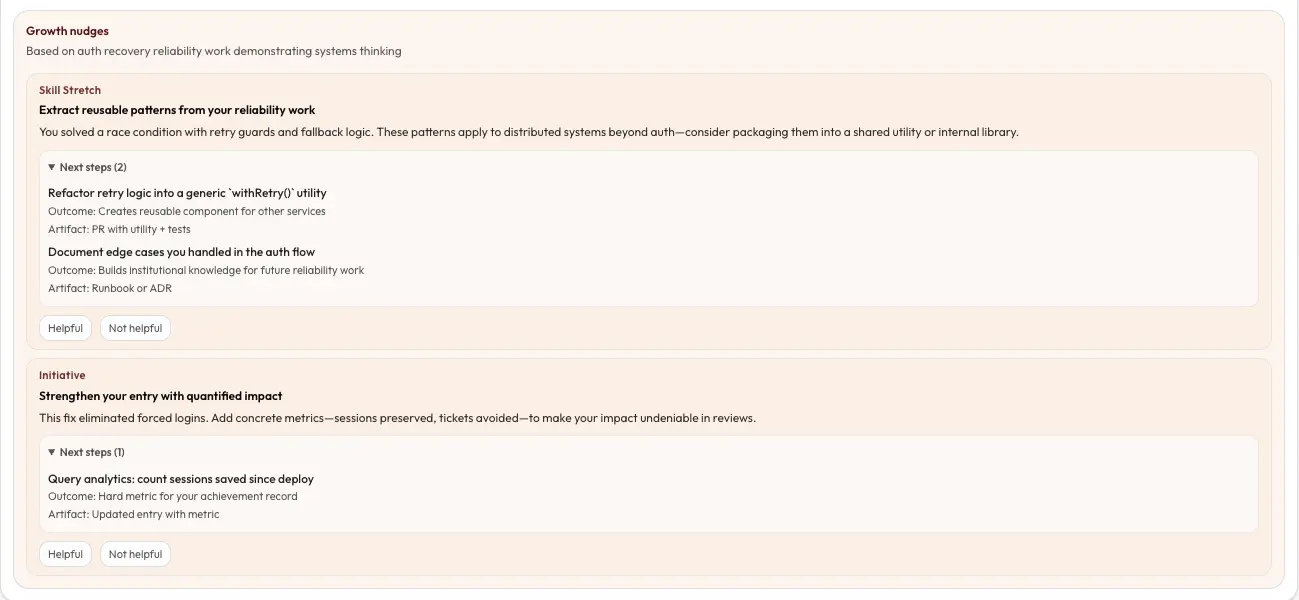
Growth nudge
NEWAdd rollback validation checklist to release flow
Feature set
From the terminal to the boardroom, we've got you covered.
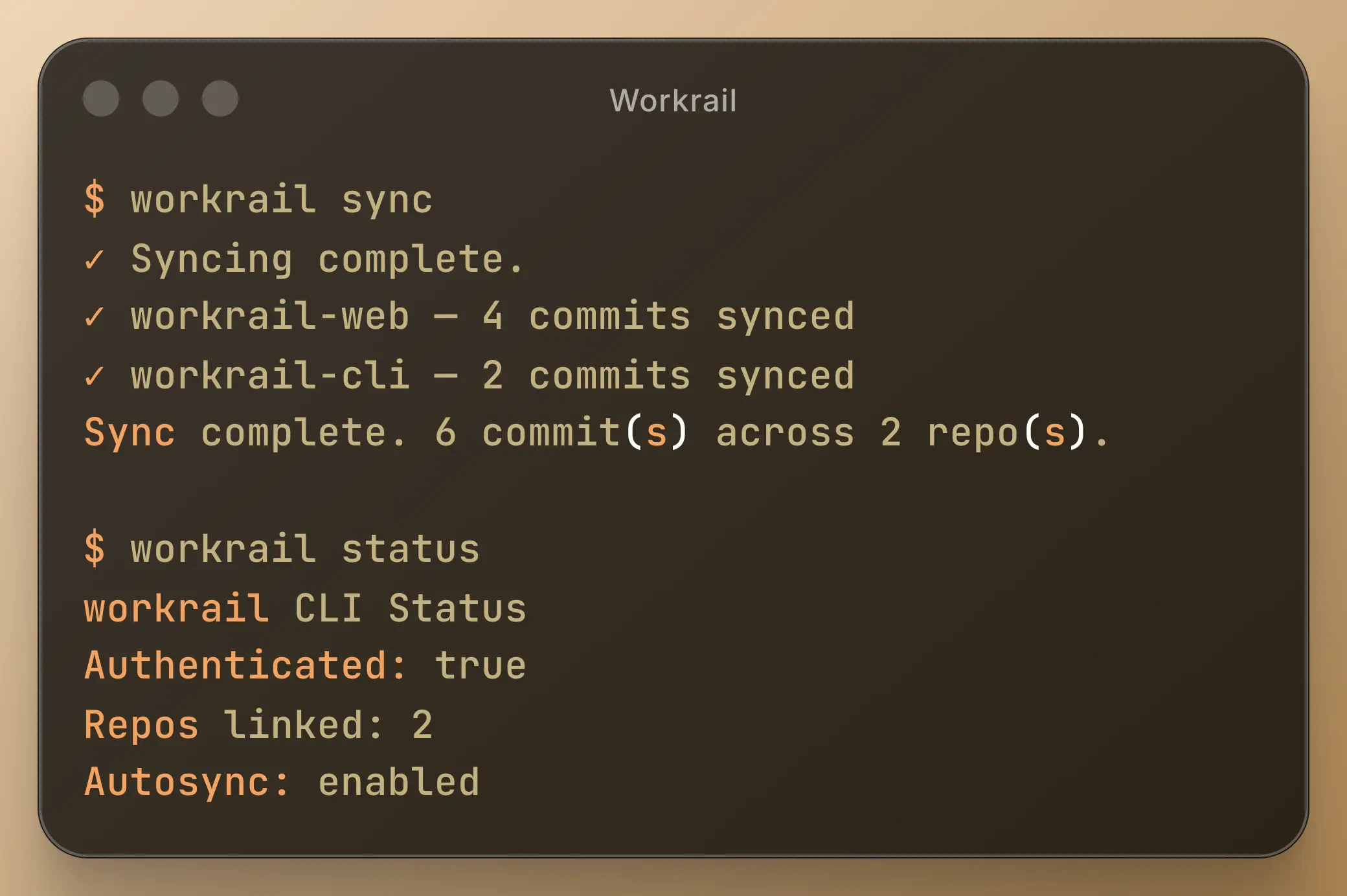
Our CLI watches your local git repositories and syncs commit metadata without ever touching your source code.
Automatically filter out noise. Identify significant contributions instantly.
API Latency Reduction
Optimized database query reducing p95 by 40%.
AI-driven suggestions to improve your work and expand your skillset.
You focused on backend scaling this week. Consider exploring GraphQL schema design to complement this work.
Generate comprehensive summaries instantly. Never scramble for review data again.
Track feedback alongside code.
Export as JSON or Markdown. Your data is yours.
Privacy-first sync
Metadata only, secure by default.
No source code ingestion
Your code never leaves your machine.
Built for individual engineers
Optimized for your personal growth.
Continuous product improvements
Weekly updates and new features.
Simple, transparent pricing for serious engineers.
Pro Subscription
Most popularCancel anytime
Trial includes forward-only sync (no historical backfill).
Yes. Workrail never uploads your source code. The CLI runs locally and only extracts metadata (timestamps, commit messages, diff stats) to build your career record.
About 2 minutes. You simply install the CLI via Homebrew or npm, run `workrail login`, and point it to your project directories. It starts working immediately.
No. Workrail sits alongside them. It integrates with your existing git workflow. You don't need to change how you code, just how you capture the value of that coding.
Trial accounts can sync new activity only (no historical backfill). Pro accounts can backfill up to 30 days. These limits are shown in-product and may evolve with plan updates.
You can export your data at any time. If you cancel, your account will remain active until the end of the billing period, after which it will become read-only for a grace period before deletion.